
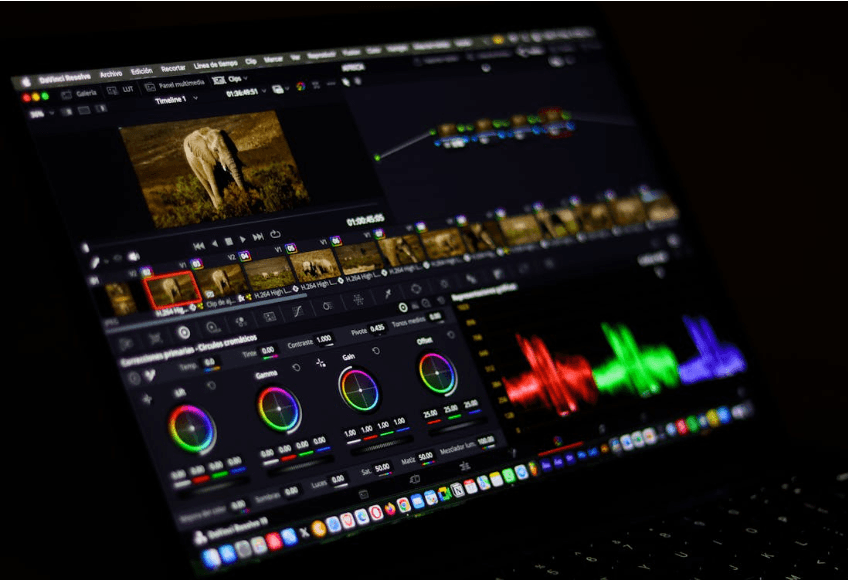
Video content has become one of the most powerful forms of digital communication in today’s online world. Platforms like YouTube, Instagram, TikTok, and Facebook are heavily focused on video-based content because videos attract higher engagement and audience attention compared to text or static images.
Don’t Miss: Essential Keyword Research Tools 2026
For beginners, video editing may initially feel difficult and confusing. Professional editing software often looks complex, and many new creators struggle to understand timelines, transitions, effects, and audio adjustments. Fortunately, modern video editing apps have become much more beginner-friendly. Today, many apps offer simple interfaces, AI-powered editing features, templates, and drag-and-drop tools that help beginners create professional-looking videos without advanced technical knowledge.
Whether someone wants to create YouTube videos, Instagram reels, TikTok shorts, vlogs, tutorials, gaming videos, or travel content, choosing the right editing app is extremely important. The right software can improve creativity, save time, and make the editing process much smoother.
In this guide, we will explore the essential video editing apps for beginners and explain how they can help new creators start their content creation journey successfully.
Why Video Editing Apps Matter?
Video editing apps have become extremely important in today’s digital world because video content now dominates most online platforms. Social media, entertainment, education, marketing, and business communication increasingly rely on videos to attract and engage audiences. Platforms like YouTube, TikTok, Instagram, and Facebook prioritize video content because it usually generates higher engagement compared to text or static images.
Raw video footage often looks unorganized and less professional. Video editing apps help creators improve video quality, remove mistakes, add effects, enhance storytelling, and create more engaging content. Even simple editing can make videos look cleaner, smoother, and more visually appealing.
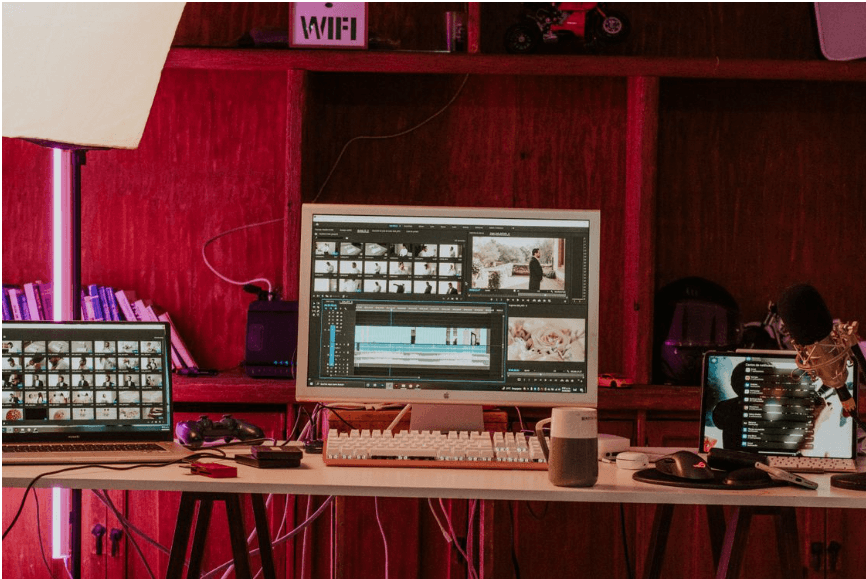
One of the biggest reasons video editing apps matter is audience attention. Online users have short attention spans, especially on social media. Good editing helps creators keep viewers engaged through fast cuts, captions, transitions, music, and visual effects. Strong editing often increases watch time and audience retention.
Video editing apps also improve storytelling. Whether someone creates tutorials, vlogs, gaming videos, interviews, travel content, or business promotions, editing helps organize scenes and present information clearly. Proper pacing, transitions, and audio improvements can completely change how viewers experience a video.
Another important benefit is accessibility. Modern video editing apps are now beginner-friendly and available on smartphones, tablets, and computers. Creators no longer need expensive equipment or advanced technical skills to produce professional-looking videos. Apps like CapCut and Canva make editing simple even for beginners.
Captions and subtitles are another reason editing apps matter. Many users watch videos without sound, especially on mobile devices. Adding captions improves accessibility, audience engagement, and content reach.
Video editing apps are also important for branding. Businesses and creators use editing tools to maintain consistent visual styles, logos, colors, transitions, and music across their content. Strong branding helps audiences recognize creators more easily.
For businesses and marketers, edited videos improve advertising performance. Professional product videos, promotional content, and social media campaigns often increase engagement, conversions, and customer trust.
Modern editing apps also save time through automation and AI-powered features. Artificial intelligence can now automatically remove silence, generate captions, apply transitions, improve audio quality, and even create highlight clips. This allows creators to focus more on creativity and storytelling instead of manual editing tasks.
Mobile video editing has become especially important because many creators now produce content directly from smartphones. Fast mobile editing allows creators to publish content quickly for trending topics and social media engagement.
Video editing apps also support creativity and experimentation. Creators can explore cinematic effects, filters, animations, slow motion, transitions, and music synchronization to develop unique visual styles.
However, editing tools alone do not guarantee successful content. Creativity, storytelling, consistency, and audience understanding remain equally important. The best creators combine editing skills with valuable and engaging content.
Overall, video editing apps matter because they help creators improve video quality, increase audience engagement, strengthen branding, communicate ideas more effectively, and produce professional content in today’s highly visual digital world.
1. CapCut
CapCut has become one of the most popular editing apps for beginners, especially for short-form content creators. It is widely used for Instagram reels, TikTok videos, and YouTube Shorts.
Key Features
- Auto captions
- AI effects
- Music synchronization
- Video templates
- Smooth transitions
- Background removal
Advantages
Beginner-Friendly Interface
CapCut is extremely simple to use, even for first-time editors.
Excellent for Short Videos
The app is optimized for vertical content and social media reels.
AI Editing Features
Automatic captions and smart editing save time.
Disadvantage
Limited Advanced Features
Professional editors may find it less powerful than desktop software.
Best For
- TikTok creators
- Instagram reel creators
- YouTube Shorts creators
2. Adobe Premiere Rush
Adobe Premiere Rush is a simplified version of Adobe’s professional editing software designed for beginners and mobile creators.
Key Features
- Multi-track editing
- Cloud syncing
- Audio controls
- Motion graphics templates
- Easy export options
Advantages
Cross-Platform Support
Users can edit on mobile and desktop devices.
Professional Quality
Provides more advanced editing than many mobile apps.
Easy Learning Curve
Simpler than Adobe Premiere Pro.
Disadvantage
Limited Free Features:
Premium tools require subscriptions.
Best For
- YouTubers
- Vloggers
- Beginners wanting professional tools
3. Canva Video Editor
Canva is not only a design platform but also a beginner-friendly video editor.
Key Features
- Drag-and-drop editing
- Video templates
- Text animations
- Music library
- Social media exports
Advantages
Extremely Easy to Use
Perfect for complete beginners.
Great Templates
Templates simplify content creation.
Multi-Purpose Tool
Canva combines graphics and video editing together.
Disadvantage
Limited Advanced Editing
Not suitable for complex projects.
Best For
- Social media creators
- Beginners
- Business content creators
4. iMovie
iMovie is Apple’s free editing software available on Mac, iPhone, and iPad devices.
Key Features
- Cinematic templates
- Green screen support
- Audio editing
- Simple timeline editing
- 4K video support
Advantages
Free for Apple Users
No additional payment is required.
Clean Interface
Easy for beginners to understand.
High-Quality Exports
Supports professional video quality.
Disadvantage
Apple Devices Only
Unavailable for Windows or Android users.
Best For
- Apple users
- Beginner vloggers
- Students
5. Filmora
Wondershare Filmora is a beginner-friendly desktop editing program with advanced visual effects.
Key Features
- Drag-and-drop editing
- Built-in effects
- AI editing tools
- Motion tracking
- Screen recording
Advantages
Easy Yet Powerful
Balances simplicity and advanced features.
Strong Effects Library
Offers many transitions and filters.
Good for YouTube
Useful for long-form content creation.
Disadvantage
Watermark on Free Version
Free exports contain branding.
Best For
- YouTube beginners
- Gaming creators
- Educational creators
6. VN Video Editor
VN Video Editor is gaining popularity because it offers professional editing features for free.
Key Features
- Multi-layer editing
- Speed controls
- Filters and effects
- Keyframe animation
- Music integration
Advantages
Free Professional Features
Many advanced tools are available without payment.
No Watermark
Free exports remain clean.
Smooth Performance
Works well on mobile devices.
Disadvantage
Slight Learning Curve
Advanced tools may confuse complete beginners initially.
Best For
- Mobile creators
- Reels creators
- Short-form editors
7. DaVinci Resolve
DaVinci Resolve is one of the most powerful free editing programs available today.
Key Features
- Professional color grading
- Audio editing
- Visual effects
- Motion graphics
- Multi-track editing
Advantages
Professional-Level Features
Used in filmmaking and professional production.
Free Version Available
Offers incredible value for free users.
Excellent Color Correction
One of the best color grading systems available.
Disadvantages
Difficult for Beginners
The interface may feel overwhelming initially.
Requires Strong Hardware
Needs powerful computers for smooth performance.
Best For
- Serious creators
- Future professional editors
- Filmmakers
Important Features Beginners Should Look For:
Easy Interface
Simple controls reduce confusion for new editors.
Templates
Pre-made templates speed up editing.
Auto Captions
Useful for social media content and accessibility.
Music Library
Built-in music saves time.
Export Quality
High-resolution exports improve professionalism.
Mobile Compatibility
Mobile editing is important for modern creators.
Benefits of Using Video Editing Apps Together:
Using multiple video editing apps together has become a common strategy among modern content creators, marketers, YouTubers, and social media influencers. While a single app may handle basic editing tasks, combining different tools often improves workflow efficiency, creativity, and overall video quality. Each editing app usually has its own strengths, and using them together allows creators to take advantage of the best features from multiple platforms.
One of the biggest benefits of using video editing apps together is workflow flexibility. Some apps are better for quick edits and social media reels, while others offer advanced professional editing features. For example, creators may use CapCut for fast mobile editing and transitions, while using Adobe Premiere Pro for advanced timeline editing and cinematic production.
Another major advantage is improved creativity. Different apps provide unique filters, effects, transitions, animations, templates, and editing styles. Combining these tools allows creators to experiment with different visual approaches and create more original content.
Using multiple apps also saves time. Some platforms specialize in specific tasks such as:
- Auto captions
- Background removal
- Audio cleanup
- Color correction
- Motion graphics
- Thumbnail creation
Instead of doing everything manually in one software, creators can complete tasks faster by using specialized tools together.
AI-powered editing tools are another reason creators combine apps. Modern platforms now use artificial intelligence to automate editing processes such as silence removal, subtitle generation, music syncing, and highlight detection. Combining AI tools with manual editing software can improve both speed and production quality.
Social media optimization is also easier when using multiple apps. Short-form platforms like TikTok and Instagram often require vertical video formats and trend-based editing styles. Creators may use one app for editing long-form YouTube content and another for converting clips into reels or shorts.
Another important benefit is better content quality. Some apps provide stronger color grading tools, while others offer advanced audio editing or motion graphics. Combining these features can produce more professional and visually appealing videos.
Cross-platform editing is becoming increasingly popular as well. Creators often begin editing on smartphones and continue on desktop software later. Cloud syncing and mobile compatibility allow smoother workflows between devices.
Using multiple apps can also reduce software limitations. Some free editing apps may lack advanced tools, while premium software may feel too complex for quick edits. Combining simple and advanced platforms creates a balanced workflow that improves efficiency.
For YouTubers and content creators, combining editing apps also helps improve branding consistency. One tool may handle intro animations, another may create thumbnails, while another manages subtitles and social media exports.
Example workflow:
- Use CapCut for quick reels editing
- Use Canva for thumbnails and graphics
- Use Adobe Premiere Pro for advanced editing
- Use Grammarly for captions and text corrections
- Use AI subtitle tools for automatic captions
This combination creates faster and more professional workflows.
Audio quality also improves when creators combine specialized tools. Some apps focus heavily on noise reduction, voice enhancement, and sound balancing, which can significantly improve viewer experience.
However, using too many editing apps can sometimes create challenges. Switching between multiple platforms may increase file management complexity and learning requirements. Creators should choose tools that fit their content style and workflow rather than using unnecessary software.
Storage and compatibility can also become important factors when using several editing platforms together. Large video files and different export formats may require proper organization and powerful hardware.
Overall, the benefits of using video editing apps together include improved creativity, faster workflows, better video quality, stronger branding, AI-powered automation, and greater flexibility. Combining the strengths of multiple editing tools allows creators to produce more professional and engaging content in today’s highly competitive digital environment.
Common Mistakes Beginners Make:
Overusing Effects
Too many transitions and animations can look unprofessional.
Ignoring Audio Quality
Bad audio can reduce viewer retention.
Using Low-Quality Footage
Poor visuals affect audience experience.
Editing Too Slowly
Perfectionism can delay content publishing.
Ignoring Storytelling
Good editing should support the story, not distract from it.
Tips for Better Video Editing
Keep Videos Simple
Clean editing often performs better than overly complicated edits.
Focus on Strong Hooks
The first few seconds are extremely important.
Learn Basic Cuts and Transitions
Mastering simple edits improves overall quality.
Use Captions
Subtitles improve accessibility and engagement.
Practice Regularly
Editing skills improve with experience.
How AI Is Changing Video Editing?
Artificial intelligence is transforming video editing rapidly.
AI-powered editing tools now help creators:
- Remove silence automatically
- Generate subtitles
- Sync music
- Create transitions
- Improve audio quality
- Detect highlights automatically
AI helps beginners create professional videos faster than ever before.
Future of Video Editing Apps
Video editing software is becoming smarter and more automated every year.
Future trends may include:
- AI-generated videos
- Real-time editing assistance
- Automatic storytelling
- Voice-controlled editing
- Advanced mobile editing
- Personalized editing recommendations
Creators who learn modern editing tools early may gain major advantages online.
Final Verdict
Video editing is one of the most important skills for modern content creators. Fortunately, beginners no longer need expensive software or advanced technical knowledge to create high-quality content.
Apps like CapCut, Canva, Filmora, iMovie, and VN Video Editor make editing accessible and beginner-friendly. Meanwhile, tools like DaVinci Resolve and Adobe Premiere Rush provide more advanced options for creators who want to improve professionally.
The best editing app depends on individual goals, devices, budget, and content style. Some creators prioritize simplicity, while others may need advanced effects and customization.
Ultimately, the most important factor is creativity and consistency. Even simple editing can create powerful content when combined with storytelling, audience connection, and regular practice.
Frequently Asked Questions
Which video editing app is best for beginners?
CapCut and Canva are excellent beginner-friendly options.
Is CapCut free?
Yes, CapCut offers many free editing features.
Which editing app is best for YouTube?
Filmora and Adobe Premiere Rush are popular for YouTube creators.
Is DaVinci Resolve good for beginners?
It is powerful but may feel difficult initially.
Why are captions important in videos?
Captions improve accessibility and audience engagement.
Can AI improve video editing?
Yes, AI helps automate editing tasks and save time.

Nikhil Sharma is the author and researcher behind Review Trails, where he shares shopping website reviews, product insights, and scam or legit website analysis. He focuses on providing honest, easy-to-understand information that helps readers make safer and smarter online purchasing decisions.