
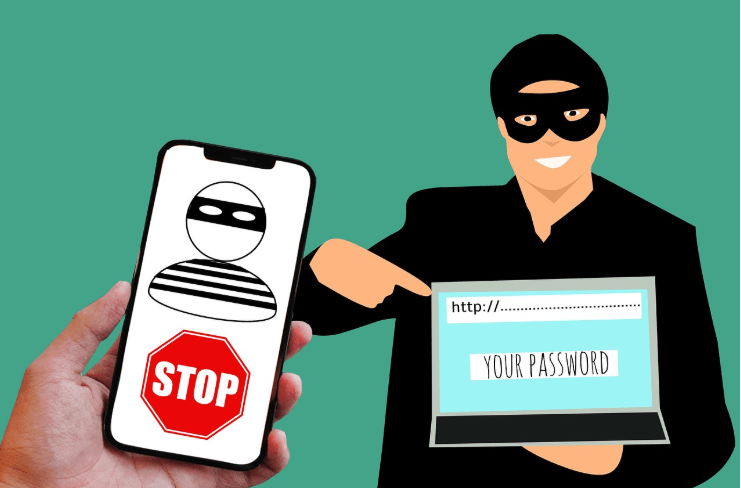
In today’s digital world, your password is the first line of defense protecting your personal information, money, and online identity yet, many people still use weak passwords like “123456” or “password,” making it easy for hackers to gain access to their accounts within seconds. With cyber threats expanding in 2026, generating a strong password is no longer optional it’s essential.
Also, check: Latest Online Scams You Should Avoid in 2026
In this guide, you’ll learn how to generate strong passwords, why they matter, and simple steps to keep your accounts secure.
Why Strong Passwords Are Important
Every online account you use whether it’s email, banking, social media, or shopping holds sensitive data. If your password is weak hackers can easily guess it, your accounts can be hacked, personal data can be stolen, and financial loss can occur. A strong password acts like a lock that keeps intruders out.
What Makes a Password Strong?
Not all passwords are created equal. While some can be cracked in seconds, others can take years, the difference lies in how strong your password actually is. Understanding what makes a password strong is the first step toward protecting your accounts from hackers.
A strong password is one that is hard to guess, unique, long enough, Random and unpredictable.
Key Elements of a Strong Password:
A strong password isn’t created by chance it’s built using the right elements. By combining specific features like length, complexity, and uniqueness, you can create a password that is extremely difficult to crack.
Let’s break down the key elements that make a password truly secure.
- At least 12–16 characters long
- Combination of uppercase and lowercase letters
- Includes numbers and special symbols
- Not based on personal information
Common Password Mistakes to Avoid
Even if you think your password is secure, a small mistake can make it easy for hackers to break in. Most people don’t get hacked because of advanced techniques — they get hacked because of simple, avoidable password mistakes. Understanding these common errors can help you protect your accounts more effectively.
Many users unknowingly create weak passwords. Here are the most common mistakes:
Using simple passwords
Using a simple password might feel convenient but it’s also the easiest way to lose access to your accounts. Hackers don’t need advanced skills to crack passwords like “123456” or “password.” In fact, these can be broken within seconds using basic tools.
What seems easy for you is even easier for someone trying to break in.
Examples:
- 123456
- password
- abc123
Using personal information
- Your name
- Birthdate
- Phone number
Reusing the same password
Using one password for multiple accounts increases risk.
Short passwords
Short passwords are easier to crack using automated tools.
How to Create a Strong Password (Step-by-Step)
Creating a strong password doesn’t have to be complicated. By following a few simple steps, you can turn an easy-to-guess password into one that’s highly secure and difficult to crack.
Let’s go step-by-step and build a password that actually protects your accounts.
1. Use a Long Passphrase
Instead of a single word, use a phrase.
Example:
- Weak: apple123
- Strong: BlueSky!RunsFast2026
2. Mix Different Characters
Use:
- Uppercase letters
- Lowercase letters
- Numbers
- Symbols
3. Avoid Predictable Patterns
Do not use:
- qwerty
- 12345
- common words
4. Make It Unique for Every Account
Each account should have a different password.
5. Use Randomness
The more random your password, the harder it is to crack.
Examples of Strong vs Weak Passwords
Sometimes, the easiest way to understand security is by seeing the difference. A weak password might look harmless, but compared to a strong one, the gap in security is huge.
Let’s take a look at some real examples of strong vs weak passwords to understand what truly makes a difference.
| Weak Password | Strong Password |
|---|---|
| password123 | G!7kP@92Lm#xQ |
| john1998 | J#9lK@2!pZ7 |
| abc123 | T!8mQ@zL#92x |
Best Practices for Password Security
Creating a strong password is only the first step, keeping it secure is just as important. Even the strongest password can become vulnerable if it’s not managed properly.
By following a few best practices, you can significantly reduce the risk of your accounts being compromised.
Use a Password Manager
A password manager stores and generates strong passwords.
Benefits:
- No need to remember all passwords
- Automatically fills login details
- Keeps data secure
Enable Two-Factor Authentication (2FA)
This adds an extra layer of security.
Even if someone knows your password, they cannot access your account without a second verification step.
Change Passwords Regularly
Update your passwords every few months, especially for important accounts.
Avoid Saving Passwords in Browsers
Browsers can be vulnerable to attacks.
Log Out from Shared Devices
Never stay logged in on public or shared computers.
How Hackers Crack Passwords
Most people think hacking requires advanced skills and complex techniques but in reality, many passwords are cracked using simple methods that take only seconds. Understanding how hackers break passwords can help you avoid common mistakes and stay one step ahead.
Understanding how hackers work can help you stay safe.
1. Brute Force Attacks
Trying multiple combinations until the correct password is found.
2. Dictionary Attacks
Using common words and phrases.
3. Phishing
Tricking users into revealing passwords.
4. Data Breaches
Using leaked passwords from hacked websites.
How to Check If Your Password Is Weak?
You might think your password is secure but have you ever actually checked it? Many people use passwords they believe are strong, but in reality, they can be cracked within minutes. Knowing how to identify a weak password is the first step toward improving your online security.
Ask yourself:
- Is it shorter than 12 characters?
- Does it contain personal info?
- Is it reused?
If yes, you should change it immediately.
What to Do If Your Password Is Compromised
If your password is compromised, every second matters. Hackers can access your accounts, steal your data, and even lock you out all within minutes. Knowing exactly what to do immediately can help you limit the damage and regain control before it’s too late.
If you suspect your password is exposed:
- Change it immediately
- Enable 2FA
- Check account activity
- Log out from all devices
- Update passwords on other accounts
Tips for Remembering Strong Passwords
Creating a strong password is important but remembering it can be a challenge. That’s why many people end up using simple or repeated passwords, putting their security at risk. The good news is, there are smart and simple ways to remember strong passwords without compromising your safety.
Here’s how you can manage:
Use passphrases
Example:
“Coffee!IsMyFavorite@Morning”
- Use patterns you understand but avoid obvious ones.
- Use a password manager
Best solution for multiple accounts.
Password Safety for Mobile Users
Many users access accounts via smartphones.
Tips:
- Use screen lock
- Avoid public Wi-Fi for sensitive logins
- Do not save passwords in unknown apps
Password Security for Different Accounts
Email Accounts
Most important — use strongest password + 2FA
Banking Apps
Never reuse passwords
Social Media
Avoid simple or common passwords
Future of Password Security
Passwords are evolving with new technologies like:
- Biometric authentication (fingerprint, face ID)
- Passwordless login systems
However, passwords are still widely used — so strong passwords remain essential.
Final Thoughts
Creating a strong password is one of the simplest yet most powerful ways to protect yourself online.
It doesn’t require technical skills just awareness and smart habits.
A few extra seconds spent creating a strong password can save you from serious problems like hacked accounts, data theft, and financial loss.
FAQs
Q1. What is the ideal password length?
At least 12–16 characters.
Q2. Can I use the same password for multiple accounts?
No, always use unique passwords.
Q3. Are password managers safe?
Yes, they are designed to securely store passwords.
Q4. What is 2FA?
An extra security layer requiring a second verification step.
Conclusion
In 2026, online security is more important than ever. Strong passwords are your first line of defense against cyber threats. By following the tips in this guide, you can significantly reduce the risk of being hacked and keep your digital life secure.
Stay safe, stay smart, and always protect your accounts with strong passwords.
Your online security starts with a single step, creating a strong password. Don’t wait until your account is compromised. Take a few minutes today to update your passwords and apply the tips you’ve learned in this guide.
If you found this article helpful, share it with others so they can stay safe too. And for more online safety tips and scam awareness guides, keep visiting our site.
Also, Check This Review: Walker Skin Protect Reviews