
Content creation has evolved rapidly over the past few years. Whether someone creates YouTube videos, writes blogs, manages social media pages, designs graphics, or produces podcasts, artificial intelligence has become an essential part of the creative process.
AI tools are helping creators save time, improve quality, generate ideas, automate repetitive tasks, and grow faster online. What once required an entire team can now often be handled by a single creator using the right AI-powered software.
Don’t Miss: Best Video Editing Software for YouTube Creators
Today, creators are expected to publish content consistently across multiple platforms. This pressure makes productivity extremely important. AI tools help creators work smarter instead of harder.
In this guide, we will explore the most essential AI tools for content creators in 2026. We’ll cover writing tools, design software, video editors, audio tools, SEO platforms, and productivity applications that can improve content quality and simplify workflows.
Why AI Tools Matter for Content Creators?
Content creation has become more competitive than ever. Whether someone creates YouTube videos, blogs, podcasts, Instagram posts, or social media content, maintaining consistency and quality requires a lot of time and effort. This is where AI tools have become extremely valuable for modern creators.
Artificial intelligence helps creators work faster, smarter, and more efficiently. Instead of spending hours on repetitive tasks, creators can focus more on creativity, storytelling, and audience engagement.
One of the biggest advantages of AI tools is time-saving. Tasks like video editing, caption writing, thumbnail creation, grammar correction, keyword research, and subtitle generation can now be completed within minutes. This allows creators to produce more content without increasing workload.
AI tools also improve productivity. Many creators struggle with writer’s block or lack of content ideas. AI platforms can generate blog outlines, video scripts, title suggestions, and social media captions instantly. These tools help creators stay consistent and maintain a regular posting schedule.
Another important benefit is content quality. AI-powered software can improve grammar, enhance audio, remove background noise, optimize SEO, and even suggest better headlines. As a result, creators can publish more professional-looking content that attracts larger audiences.

For video creators, AI editing tools have become especially useful. Features like automatic subtitles, silence removal, background cleanup, and smart transitions reduce editing time significantly. This is particularly important for YouTube Shorts, TikTok, and Instagram Reels creators who publish content frequently.
AI tools also help with SEO and online visibility. Platforms like Surfer SEO and AI keyword tools analyze search trends and suggest ways to optimize content for better rankings. This helps bloggers and website owners increase traffic organically.
Another reason AI matters is affordability. Earlier, creators often needed designers, editors, writers, and marketing teams. Today, many of these tasks can be handled using AI-powered platforms at a much lower cost.
However, AI should not replace human creativity completely. The most successful creators use AI as a support tool rather than depending entirely on automation. Originality, storytelling, emotions, and personal experiences still play a major role in building audience trust.
As technology continues to evolve, AI tools will become an even bigger part of the content creation industry. Creators who learn how to use these tools effectively can save time, improve quality, and grow faster in the digital world.
What Makes a Good AI Tool?
With so many AI platforms available today, choosing the right tool can feel confusing for content creators. Not every AI application provides the same quality, accuracy, or usefulness. A good AI tool should make content creation easier, faster, and more efficient without reducing creativity or quality.
One of the most important qualities of a good AI tool is ease of use. Creators should be able to understand the interface quickly without spending weeks learning complicated features. Simple dashboards, clear navigation, and beginner-friendly workflows make AI tools more practical for daily use.
Speed is another major factor. The main purpose of AI is to save time. A good AI tool should complete tasks quickly, whether it is generating content ideas, editing videos, creating graphics, or optimizing SEO. Faster workflows help creators stay productive and consistent.
Accuracy also matters greatly. AI-generated content should feel natural, relevant, and reliable. Tools that produce low-quality or incorrect outputs can create extra work instead of saving time. This is especially important for writers, educators, and professional creators who need trustworthy information.
Customization is another essential feature. Every creator has a different style, tone, and audience. Good AI tools allow users to personalize outputs according to their brand identity. Whether it is writing tone, design templates, or editing preferences, flexibility improves content quality.
Affordability is also important, especially for beginners and small creators. Many creators work with limited budgets, so AI tools should provide useful features at reasonable pricing. Free versions or affordable plans can make advanced technology more accessible.
Another sign of a strong AI tool is multi-purpose functionality. The best platforms often combine several features into one system. For example, some tools can help with writing, brainstorming, summarizing, and SEO optimization at the same time. This reduces the need to switch between multiple applications.
Good AI tools should also receive regular updates and improvements. Technology changes rapidly, and platforms that continuously improve performance, security, and features tend to remain more useful in the long term.
Privacy and security are equally important. Creators often upload scripts, videos, images, and personal projects to AI platforms. Reliable tools should protect user data and maintain transparency about how information is handled.
Customer support and community resources also make a difference. Tutorials, guides, templates, and active user communities help creators learn faster and solve problems more easily.
Finally, the best AI tools support creativity instead of replacing it. AI should help creators improve productivity and quality while still allowing human originality, storytelling, and emotions to remain central to the content.
A good AI tool is not simply about automation. It is about making the creative process smoother, smarter, and more efficient while helping creators produce better content consistently.
Not every AI tool is useful for creators. The best platforms usually provide:
Ease of Use
The software should be simple enough for beginners.
Speed
Good AI tools reduce workload and improve efficiency.
Accuracy
Generated content should feel natural and reliable.
Customization
Creators should be able to personalize outputs.
Affordability
Reasonable pricing is important for independent creators.
Multi-Purpose Features
The best platforms combine multiple tools into one workflow.
1. ChatGPT
Overview
ChatGPT has become one of the most popular AI tools for creators worldwide. It helps generate ideas, write scripts, create outlines, answer questions, and improve productivity.
Many bloggers, YouTubers, marketers, and freelancers use ChatGPT daily.
Key Features
- Article writing assistance
- Script generation
- Brainstorming ideas
- SEO content support
- Social media captions
- Email writing
- Research summaries
- Productivity assistance
Advantages
Saves Time
Creators can quickly generate drafts and outlines.
Improves Creativity
ChatGPT helps overcome writer’s block.
Multi-Purpose Usage
It works for blogs, videos, emails, and social media.
Beginner Friendly
The interface is simple and easy to use.
Disadvantages
Requires Fact Checking
AI-generated information should always be reviewed.
Can Sound Generic
Content often needs personalization.
Best For
- Bloggers
- YouTubers
- Freelancers
- Social media managers
2. Canva AI
Overview
Canva is already one of the most popular design tools, and its AI features have made content creation even easier.
Creators can generate graphics, thumbnails, presentations, and social media posts quickly.
Key Features
- AI image generation
- Thumbnail templates
- Background remover
- Magic resize
- Presentation creator
- Social media design tools
Advantages
Extremely Easy to Use
No advanced design skills are required.
Huge Template Library
Creators can design professional graphics quickly.
Great for Branding
Canva helps maintain consistent visual identity.
Cloud-Based Platform
Projects can be accessed from anywhere.
Disadvantages
Limited Advanced Editing
Professional designers may prefer Photoshop.
Premium Features Require Subscription
Some templates and assets are locked behind paid plans.
Best For
- YouTube thumbnails
- Instagram posts
- Bloggers
- Small businesses
3. CapCut AI
Overview
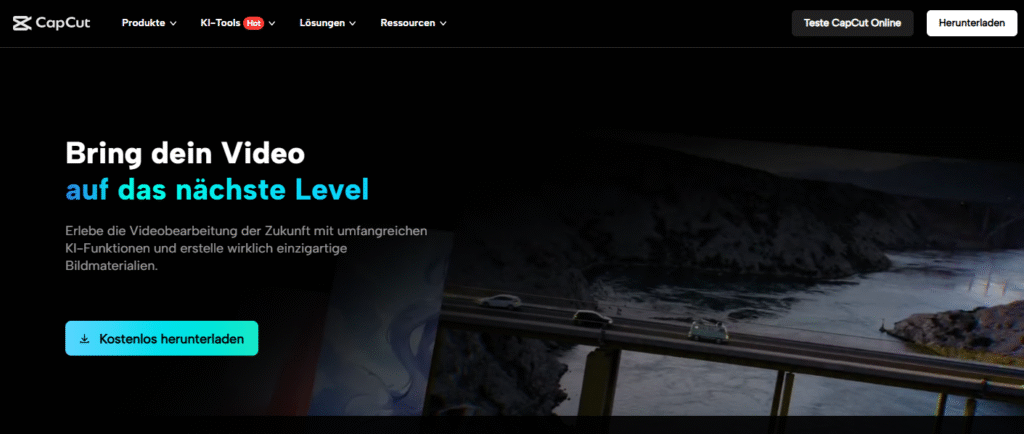
CapCut has become one of the most popular AI-powered video editing platforms for short-form creators.
It is widely used for YouTube Shorts, TikTok videos, and Instagram Reels.
Key Features
- Auto captions
- AI subtitles
- Background removal
- Templates
- Music syncing
- Voice enhancement
- AI video effects
Advantages
Fast Editing Workflow
Creators can edit videos quickly using templates.
Excellent for Short Videos
CapCut is optimized for vertical content.
Beginner Friendly
The interface is easy for new creators.
Disadvantages
Limited Advanced Features
Not ideal for cinematic projects.
Watermarks on Some Assets
Certain templates may include branding.
Best For
- Shorts creators
- Social media influencers
- Beginner editors
4. Jasper AI
Overview
Jasper AI is a content-writing assistant designed for marketers, bloggers, and businesses.
It focuses heavily on SEO-friendly writing and marketing content.
Key Features
- Blog writing
- Ad copy generation
- SEO optimization
- Social media captions
- Product descriptions
- Brand voice customization
Advantages
Marketing Focused
Excellent for business-related content.
Multiple Templates
Creators can generate content quickly.
Brand Voice Features
Content can match a specific tone.
Disadvantages
Expensive for Beginners
Pricing may not suit small creators.
Requires Editing
Outputs often need human refinement.
Best For
- Affiliate marketers
- Bloggers
- Businesses
- Agencies
5. Grammarly
Overview
Grammarly helps creators improve grammar, spelling, tone, and readability.
It is widely used by writers, students, and professionals.
Key Features
- Grammar correction
- Tone suggestions
- Clarity improvements
- Plagiarism checking
- Writing enhancement
Advantages
Improves Writing Quality
Grammarly catches mistakes quickly.
Easy Integration
Works inside browsers, documents, and email platforms.
Saves Editing Time
Writers spend less time proofreading.
Disadvantages
Premium Features Cost Extra
Advanced suggestions require subscription plans.
Not Always Perfect
Human review is still necessary.
Best For
- Bloggers
- Students
- Professional writers
6. Midjourney
Overview
Midjourney is an AI image-generation platform known for creating artistic visuals.
Creators use it for thumbnails, concept art, branding, and social media content.
Key Features
- AI-generated artwork
- Creative image prompts
- Stylized visuals
- High-quality rendering
Advantages
Unique Art Styles
Images often look highly creative and cinematic.
Excellent for Branding
Creators can generate unique visual content.
Strong Community
Many creators share prompts and ideas.
Disadvantages
Learning Prompt Writing
Good results require practice.
Subscription Costs
Free access is limited.
Best For
- Designers
- Thumbnail creators
- Digital artists
7. Descript
Overview
Descript is a powerful AI audio and video editing tool.
It allows creators to edit media files by editing text transcripts.
Key Features
- Audio transcription
- Screen recording
- AI voice cloning
- Podcast editing
- Subtitle generation
- Noise removal
Advantages
Easy Podcast Editing
Creators can edit audio like a document.
Excellent AI Voice Tools
Useful for voiceovers and corrections.
Beginner Friendly
Simple workflow compared to traditional editors.
Disadvantages
Subscription Required
Advanced features are premium.
Limited Cinematic Editing
Not designed for advanced filmmaking.
Best For
- Podcasters
- Educators
- YouTubers
8. Surfer SEO
Overview
Surfer SEO helps bloggers optimize articles for search engines.
It analyzes keywords, structure, and competitors to improve rankings.
Key Features
- Keyword optimization
- Content scoring
- SEO suggestions
- Competitor analysis
- SERP analysis
Advantages
SEO Focused
Helps improve search visibility.
Data-Driven Suggestions
Creators can optimize content strategically.
Useful for Bloggers
Great for long-form SEO articles.
Disadvantages
Requires SEO Knowledge
Beginners may need time to understand optimization.
Monthly Subscription
Premium pricing may feel expensive.
Best For
- Bloggers
- Affiliate marketers
- SEO writers
9. Notion AI
Overview
Notion AI combines productivity, note-taking, and AI assistance.
Creators use it for planning, brainstorming, scripting, and organizing workflows.
Key Features
- AI writing assistance
- Task management
- Content calendars
- Brainstorming tools
- Collaboration support
Advantages
Excellent Organization
Keeps projects structured.
Multi-Purpose Workspace
Useful for planning and writing.
Team Collaboration
Ideal for creators working with teams.
Disadvantages
Learning Curve
Advanced workspace setups can feel complex.
Paid AI Features
Some AI functions require subscription upgrades.
Best For
- Teams
- Bloggers
- YouTube creators
- Productivity enthusiasts
10. ElevenLabs
Overview
ElevenLabs is an AI voice-generation platform known for realistic speech synthesis.
Creators use it for narrations, audiobooks, and voiceovers.
Key Features
- AI voice cloning
- Natural voice generation
- Multiple languages
- Emotional speech tones
Advantages
Realistic Voices
Voice quality sounds highly natural.
Time Saving
Useful for automated narration.
Multiple Use Cases
Works for podcasts, videos, and educational content.
Disadvantages
Ethical Concerns
Voice cloning must be used responsibly.
Subscription Costs
High-quality generation may require paid plans.
Best For
- Narrators
- Educators
- Faceless YouTube channels
Benefits of Using AI Tools Together

Nikhil Sharma is the author and researcher behind Review Trails, where he shares shopping website reviews, product insights, and scam or legit website analysis. He focuses on providing honest, easy-to-understand information that helps readers make safer and smarter online purchasing decisions.