
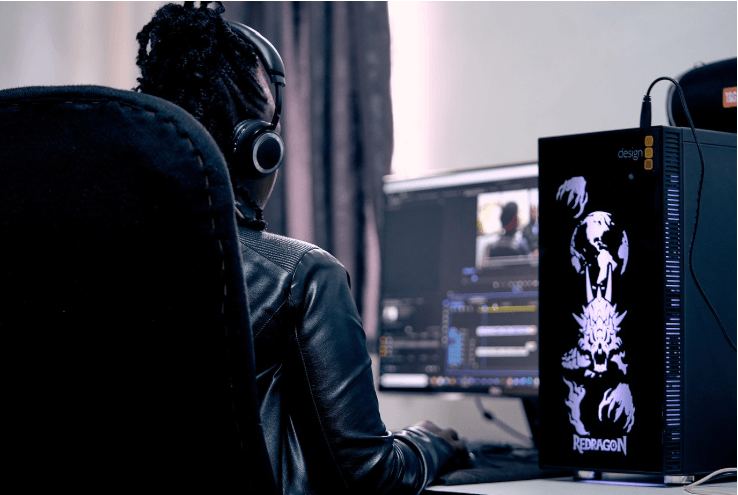
Creating high-quality YouTube videos requires more than just a good camera. Editing plays a major role in making videos engaging, professional, and entertaining. A powerful video editor helps creators cut unnecessary footage, improve audio quality, add effects, insert subtitles, and create smooth transitions.
Today, there are many editing tools available for beginners and professionals. Some software focuses on simplicity, while others provide advanced cinematic features. Choosing the right editing software depends on your experience level, budget, and content style.
This guide explores the best video editing software for YouTube creators in 2026, including their features, advantages, disadvantages, and ideal use cases.

Why Video Editing Software Matters?
Video editing software plays an essential role in creating high-quality content for digital platforms like YouTube, Instagram, Facebook, and other social media channels. In today’s competitive online world, recording a video is only the first step. Proper editing transforms raw footage into professional and engaging content that attracts viewers and keeps them watching for longer periods.
One of the main reasons video editing software matters is that it improves the overall quality of videos. Raw recordings often contain mistakes, unwanted pauses, background noise, shaky footage, or poor lighting. Editing software allows creators to remove unnecessary parts, adjust brightness and colors, improve audio quality, and add smooth transitions. These improvements make videos look polished and professional.
Another important reason is audience engagement. Modern viewers have short attention spans, especially on platforms like YouTube. Well-edited videos with creative cuts, subtitles, animations, music, and effects keep audiences entertained and interested. A properly edited video can increase watch time, audience retention, and viewer satisfaction, which are all important factors for channel growth.
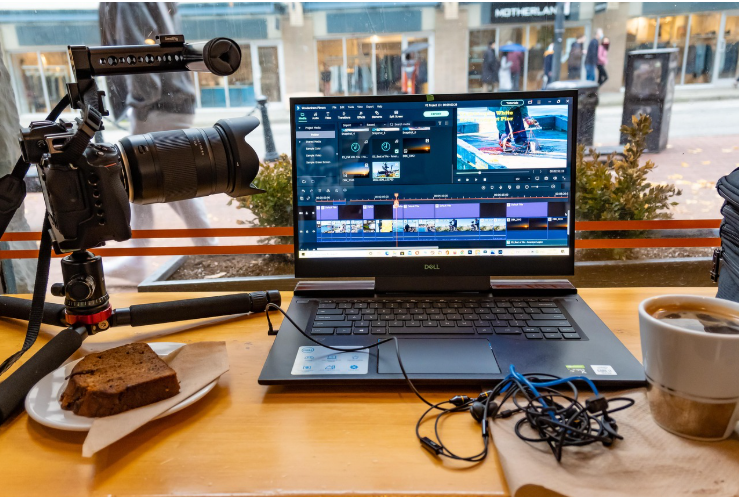
Video editing software also helps creators build a unique identity and personal brand. Many successful YouTubers are recognized by their editing style, including their use of transitions, text effects, background music, and storytelling techniques. Consistent editing creates a recognizable visual experience that helps viewers remember a channel.
In addition, editing software saves time and increases productivity. Modern editing tools include features such as templates, AI-powered editing, auto-subtitles, motion tracking, and preset transitions. These features allow creators to produce videos more efficiently and maintain regular upload schedules.
Another major benefit is storytelling. Good editing helps creators arrange scenes in a logical and emotional sequence. Through editing, creators can create suspense, humor, excitement, or emotional impact. Strong storytelling helps videos connect with audiences on a deeper level.
Video editing software is also important for professional growth and monetization. Brands and sponsors usually prefer creators who produce visually appealing and professional-quality content. High-quality editing can improve a creator’s credibility and increase opportunities for collaborations, sponsorships, and business growth.
Furthermore, editing software allows creators to optimize content for different platforms. Videos can be resized and formatted for YouTube Shorts, Instagram Reels, TikTok, or full-length YouTube videos. This flexibility helps creators reach wider audiences across multiple platforms.
Today, even beginners can access powerful editing tools because many software options are affordable or free. From simple mobile apps to advanced professional editing suites, creators can choose software based on their skills and content requirements.
In conclusion, video editing software is much more than a technical tool. It is a creative platform that helps creators improve video quality, increase audience engagement, strengthen branding, tell better stories, and grow successfully in the digital content industry. Without proper editing, even good ideas may fail to capture viewers’ attention in today’s highly competitive online environment.
What to Look for in Editing Software?
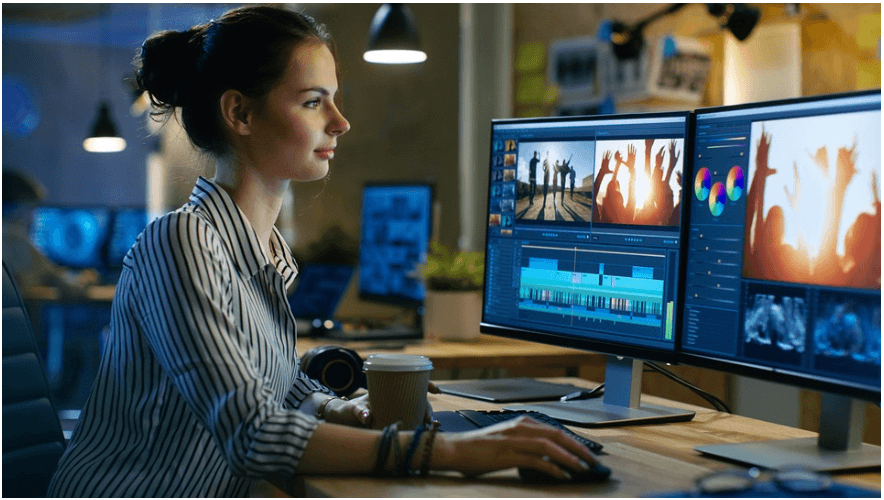
Before choosing a video editor, creators should consider several important factors.
Ease of Use
Beginners should choose software with a simple interface and drag-and-drop editing.
Export Quality
The editor should support HD and 4K video exports.
Performance
Good software should run smoothly without lagging or crashing.
Effects and Transitions
Creative tools help videos look more professional.
Audio Editing
Audio quality is essential for YouTube success.
Pricing
Some editors are free while others require subscriptions.
1. Adobe Premiere Pro
Overview
Adobe Premiere Pro is one of the most popular video editing tools in the world. Many professional YouTubers and filmmakers use it because of its advanced features and flexibility.
Key Features
- Multi-track editing
- Professional color grading
- Motion graphics support
- AI-powered tools
- Auto captions
- High-quality exports
Advantages
Industry Standard
Premiere Pro is trusted by professional creators and studios.
Excellent Integration
It works smoothly with Adobe Photoshop, After Effects, and Audition.
Powerful Editing Tools
Creators can produce cinematic-quality videos.
Disadvantages
Expensive Subscription
Monthly payments may not suit every creator.
Learning Curve
Beginners may find the interface complex.
Best For
- Professional YouTubers
- Advanced creators
- Filmmakers
2. Final Cut Pro
Overview
Final Cut Pro is Apple’s professional editing software for Mac users. It is known for fast performance and smooth editing.
Key Features
- Magnetic timeline
- Fast rendering
- Advanced color correction
- HDR support
- Optimized for Apple devices
Advantages
Excellent Performance
Final Cut Pro runs extremely well on MacBooks.
One-Time Payment
Unlike subscription software, creators only pay once.
User-Friendly Layout
The interface feels clean and modern.
Disadvantages
Mac Only
Windows users cannot access Final Cut Pro.
Smaller Plugin Market
Adobe products offer more third-party resources.
Best For
- Mac users
- Professional creators
- Vloggers
3. DaVinci Resolve
Overview
DaVinci Resolve is one of the best free video editing software available today. It combines editing, audio production, visual effects, and color grading.
Key Features
- Professional color grading
- Audio editing suite
- Visual effects tools
- 4K editing support
- Multi-user collaboration
Advantages
Powerful Free Version
Many premium features are available for free.
Cinematic Quality
Resolve is famous for professional color grading.
All-in-One Platform
Editors can manage video, audio, and effects together.
Disadvantages
High Hardware Requirements
The software performs best on powerful computers.
Steep Learning Curve
Beginners may need time to understand the interface.
Best For
- Cinematic creators
- Intermediate editors
- Budget-conscious YouTubers
4. Filmora
Overview
Filmora is one of the easiest video editors for beginners. It offers simple tools and attractive effects.
Key Features
- Drag-and-drop editing
- Built-in templates
- AI tools
- Motion tracking
- Green screen support
Advantages
Beginner Friendly
Filmora is easy to learn.
Affordable Pricing
It costs less than many professional editors.
Good Effects Library
Creators get access to transitions, titles, and overlays.
Disadvantages
Limited Advanced Features
Professional editors may eventually outgrow Filmora.
Watermark in Free Version
Free exports include branding.
Best For
- Beginner YouTubers
- Educational channels
- Lifestyle creators
5. CapCut Desktop
Overview
CapCut has become extremely popular among YouTube Shorts creators and social media influencers.
Key Features
- Auto captions
- AI editing tools
- Templates
- Music library
- Vertical video optimization
Advantages
Fast Editing
Templates and AI tools speed up content creation.
Great for Shorts
CapCut is ideal for short-form videos.
Easy Interface
Even beginners can edit videos quickly.
Disadvantages
Limited Professional Features
It is less suitable for advanced filmmaking.
Watermarks on Some Assets
Certain templates may contain branding.
Best For
- Shorts creators
- Beginners
- Social media influencers
6. iMovie
Overview
iMovie is Apple’s free editing software designed for beginners.
Key Features
- Simple editing tools
- 4K support
- Built-in themes
- Audio editing
- Apple ecosystem integration
Advantages
Completely Free
No subscription is required.
Very Easy to Use
Perfect for first-time editors.
Smooth Performance
Optimized for Apple devices.
Disadvantages
Limited Professional Features
Advanced creators may need more powerful software later.
Mac Only
Windows users cannot use iMovie.
Best For
- Students
- Casual creators
- Beginner YouTubers
Free vs Paid Video Editing Software
Many creators wonder whether free software is enough.
Benefits of Free Software
- No financial investment
- Good for learning basics
- Suitable for beginner content
Benefits of Paid Software
- Professional editing tools
- Better performance
- Advanced color grading
- Larger effects libraries
If you are starting a new channel, free editors like DaVinci Resolve or iMovie may be enough. Professional creators often upgrade later.
Editing Tips for YouTube Creators
Keep Videos Engaging
Remove boring sections and unnecessary pauses.
Focus on Audio Quality
Poor audio can reduce viewer retention.
Add Subtitles
Subtitles improve accessibility and engagement.
Learn Basic Color Correction
Simple color adjustments can improve video quality.
Stay Consistent
Use similar fonts, colors, and transitions across videos.
Common Mistakes Beginners Make
Overusing Effects
Too many animations can distract viewers.
Ignoring Storytelling
Editing should support the story, not overwhelm it.
Choosing Complicated Software Too Early
Beginners should start with simpler tools.
Poor File Organization
Messy project files slow down editing.
How AI Is Improving Video Editing?
Artificial Intelligence (AI) is transforming the video editing industry by making the editing process faster, smarter, and more efficient. Earlier, video editing required advanced technical skills, long working hours, and expensive professional equipment. Today, AI-powered tools are helping creators edit videos with greater ease and accuracy, even if they are beginners.
One of the biggest advantages of AI in video editing is automation. Many repetitive tasks that previously took hours can now be completed within minutes. AI can automatically cut unnecessary footage, organize clips, detect important scenes, and even create rough edits. This helps creators save time and focus more on creativity and storytelling.
AI is also improving video quality. Modern editing software uses AI to enhance colors, adjust lighting, stabilize shaky footage, and reduce background noise automatically. These features allow creators to produce professional-looking videos without needing expert editing skills. For example, AI-powered color correction can balance brightness and contrast instantly, making videos more visually appealing.
Another major improvement is automatic subtitle generation. Subtitles are extremely important for audience engagement because many viewers watch videos without sound. AI tools can now convert spoken words into accurate subtitles in seconds. This not only saves time but also improves accessibility for global audiences.
AI is also changing audio editing. Advanced AI tools can remove unwanted background sounds, improve voice clarity, and balance audio levels automatically. Some software can even isolate voices from noisy environments, helping creators produce cleaner and more professional audio.
Face recognition and object tracking are additional AI-powered features improving video editing. AI can identify faces, moving objects, or subjects within a video and track them automatically. This feature is useful for applying effects, adding focus, creating cinematic shots, or editing action scenes smoothly.
Content recommendation and smart editing are becoming increasingly popular as well. Some AI tools analyze video content and suggest transitions, effects, music, or editing styles based on the type of content being created. This helps beginners make better editing decisions without deep technical knowledge.
AI also plays an important role in background removal and green screen editing. Traditional background removal often required complicated manual work, but AI can now separate subjects from backgrounds automatically with high accuracy. This feature is especially useful for YouTubers, gamers, educators, and online presenters.
Another important development is AI-generated voiceovers and text-to-speech technology. Creators can generate realistic voice narration using AI voices in multiple languages and accents. This helps save recording time and supports multilingual content creation.
In addition, AI is improving video search and organization. Large video projects often contain hundreds of clips, making it difficult to locate specific scenes. AI can analyze footage, recognize keywords, faces, locations, or objects, and quickly help editors find the exact clip they need.
AI-powered editing is also making short-form content creation easier. Platforms like YouTube Shorts, Instagram Reels, and TikTok require fast editing workflows. AI tools can automatically resize videos for vertical formats, create highlight clips, and optimize content for social media platforms.
Despite these advantages, AI does not completely replace human creativity. Emotional storytelling, artistic vision, humor, and creative decision-making still depend on human editors. AI mainly acts as an assistant that speeds up technical tasks and improves efficiency.
In the future, AI is expected to become even more advanced. Video editing software may eventually provide fully automated editing suggestions, real-time collaboration, advanced visual effects generation, and personalized editing based on audience behavior and trends.
In conclusion, AI is revolutionizing video editing by simplifying complex tasks, improving video and audio quality, saving time, and making professional editing accessible to everyone. As technology continues to evolve, AI will play an even bigger role in helping creators produce high-quality content quickly and efficiently in the digital age.
Final Verdict:
The best video editing software depends on your goals, budget, and experience level.
Adobe Premiere Pro is ideal for professionals who need advanced tools and flexibility. Final Cut Pro offers excellent speed and optimization for Mac users. DaVinci Resolve provides professional-level editing for free and is perfect for creators who want cinematic quality.
For beginners, Filmora, CapCut, and iMovie offer simple interfaces that make editing easier and less stressful.
Ultimately, successful YouTube content depends more on creativity and consistency than expensive software. Even simple editing tools can help creators build successful channels when combined with strong storytelling and engaging content.
Frequently Asked Questions
Which editing software do most YouTubers use?
Many creators use Adobe Premiere Pro, Final Cut Pro, or DaVinci Resolve.
What is the best free video editing software?
DaVinci Resolve is considered one of the best free professional editors.
Is CapCut good for YouTube?
Yes, CapCut is excellent for YouTube Shorts and beginner editing.
Which software is easiest for beginners?
Filmora and iMovie are among the easiest options.
Do I need expensive software to succeed on YouTube?
No. Many successful YouTubers started with free editing software.
Don’t Miss: GlycoTide Review

Nikhil Sharma is the author and researcher behind Review Trails, where he shares shopping website reviews, product insights, and scam or legit website analysis. He focuses on providing honest, easy-to-understand information that helps readers make safer and smarter online purchasing decisions.