
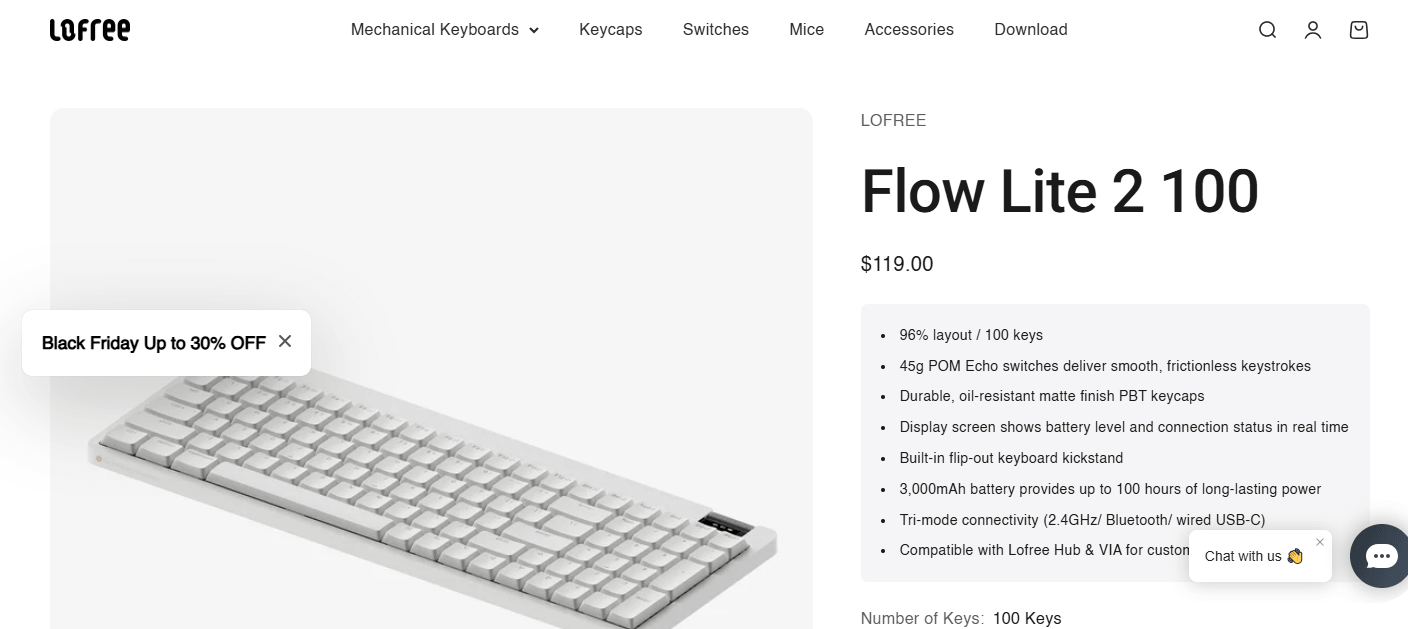
The Lofree Flow Lite 2 is a wireless low-profile mechanical keyboard designed for people who want comfortable typing, a slim desktop setup, and flexible connectivity. It combines a lightweight plastic body, PBT keycaps, hot-swappable mechanical switches, and three connection options.
As the successor to the original Flow Lite, this updated model introduces improvements to battery capacity, typing customization, and overall portability. It is available in two layouts: an 84-key compact version and a 100-key version with a number pad.
But does the Flow Lite 2 offer enough to compete with more established mechanical keyboards?
Quick verdict: The Lofree Flow Lite 2 looks like a promising choice for office workers, writers, students, and people who prefer laptop-style keyboard height with mechanical feedback. Its lightweight design and customization options are attractive, although buyers should remember that it uses an ABS plastic case rather than the premium aluminum construction found on more expensive Flow models.
This review evaluates the published specifications and available product information. Because the Flow Lite 2 is newly released, long-term independent testing is still limited.
What Is the Lofree Flow Lite 2?
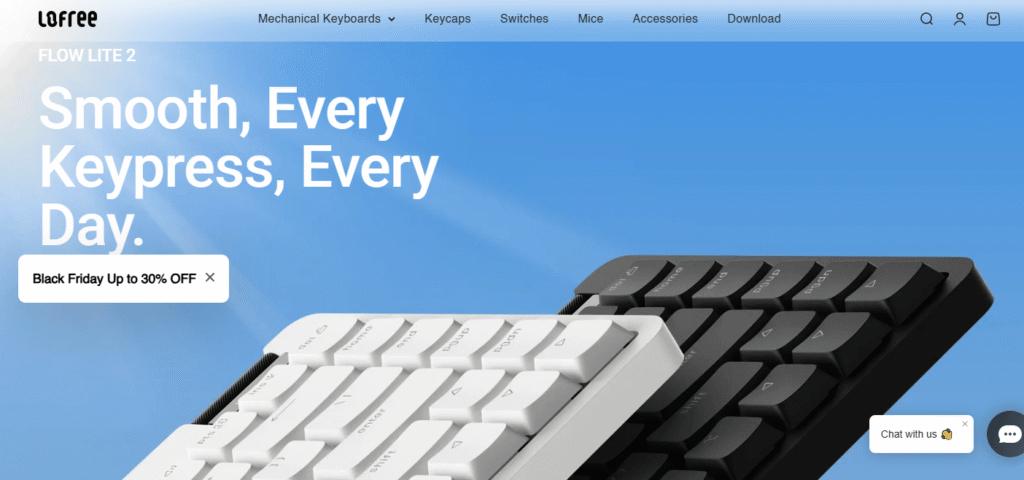
Unlike traditional mechanical keyboards with tall keycaps and bulky cases, it uses a thinner construction that creates a more streamlined typing experience.
Its main features include:
-
84-key and 100-key layout options.
-
Lofree x Kailh Echo mechanical switches.
-
Lightweight ABS plastic case.
-
Double-shot PBT keycaps.
-
Gasket-mounted construction.
-
Bluetooth 5.3 and 2.4GHz wireless connectivity.
-
USB-C wired connection.
-
Rechargeable 3,000mAh battery.
-
VIA and Lofree Hub customization support.
The keyboard is designed to combine portability with the flexibility normally associated with customizable mechanical keyboards.
Design and Build Quality
One of the first things that stands out about the Flow Lite 2 is its slim and minimalist appearance.
Its understated design makes it suitable for professional desks, home offices, study areas, and compact workstations.
The case uses ABS plastic instead of aluminum. This helps keep the keyboard lightweight, although users looking for a premium metal finish may prefer the more expensive Lofree Flow 2.
The double-shot PBT keycaps are another positive feature. PBT is generally valued for its durable surface texture and resistance to the shiny appearance that can develop on frequently used keys.
The overall design focuses on practicality rather than aggressive gaming aesthetics.
Typing Experience and Mechanical Switches
Typing comfort is arguably the most important feature of the Lofree Flow Lite 2.
The keyboard uses Lofree x Kailh Echo switches with an advertised operating force of approximately 45g. These are low-profile linear switches designed to provide smooth and relatively light keypresses.
Smooth Linear Typing
Linear switches move downward without a distinct tactile bump. This makes them suitable for people who prefer consistent key movement while writing, browsing, or working with documents.
The 45g operating force aims to provide a balance between easy key activation and deliberate typing.
However, people who enjoy noticeable tactile feedback may prefer a tactile mechanical keyboard.
Gasket-Mounted Construction
The Flow Lite 2 uses a gasket-mounted design intended to soften the impact of keystrokes and improve typing comfort.
This construction may help reduce some unwanted vibration and create a more controlled typing experience.
Actual sound and feel will depend on the switches, stabilizers, typing technique, and desk surface. Long-term hands-on testing will be useful for confirming how well this design performs.
Lofree Flow Lite 2 Specifications
Here is an overview of the main published specifications.
| Feature | 84-key version | 100-key version |
|---|---|---|
| Layout | 75% | 96% |
| Key count | 84 | 100 |
| Case material | ABS | ABS |
| Switches | Kailh Echo 45g | Kailh Echo 45g |
| Keycaps | PBT | PBT |
| Mounting | Gasket | Gasket |
| Battery | 3,000mAh | 3,000mAh |
| Advertised battery life | Up to 100 hours | Up to 100 hours |
| Connectivity | USB-C, Bluetooth, 2.4GHz | USB-C, Bluetooth, 2.4GHz |
| Weight | Approximately 536g | Approximately 625g |
| Height | 22mm | 22mm |
Specifications are based on published product information and keyboard database listings. Battery life is a manufacturer-rated figure and will vary with usage and lighting settings.
84-Key vs. 100-Key: Which Version Should You Choose?
75% layout with a smaller footprint and no dedicated number pad.
96% layout with a dedicated number pad and additional keys.
The 84-key version is a good option for people who value desk space and portability. It provides the essential keys while keeping the keyboard relatively compact.
The 100-key version is more suitable for spreadsheet users, accountants, and people who regularly enter numerical information.
According to published US pricing, the 84-key version is listed at approximately $109, while the 100-key model is around $119. Prices vary by retailer and region.
Connectivity is another strong point.
The Flow Lite 2 supports three connection methods:
Bluetooth 5.3: Useful for connecting laptops, tablets, and compatible mobile devices without a cable.
2.4GHz wireless: Provides an additional wireless option through the included receiver and supports higher polling rates than Bluetooth.
USB-C wired: Suitable for users who prefer a direct connection or need to use the keyboard while charging.
This flexibility makes it practical for people who switch between multiple devices.
The keyboard is also designed for Windows and macOS users, with customization options that make it easier to adapt key functions to different workflows.
Battery Life and Charging
The Flow Lite 2 includes a 3,000mAh rechargeable battery.
Lofree’s published information indicates up to 100 hours of battery life. This is an advertised maximum rather than a guaranteed result under every configuration.
Actual battery performance may depend on:
-
Backlight brightness.
-
Daily typing duration.
-
Wireless connection method.
-
Standby settings.
-
Battery age and condition.
USB-C charging makes it convenient to recharge using a compatible cable and power source.
For people who prefer wireless keyboards, the larger battery capacity is a useful improvement over the original 84-key Flow Lite.
Customization and Hot-Swappable Switches
These tools allow users to modify key assignments and create shortcuts or macros for different tasks.
The keyboard also features hot-swappable switches, allowing compatible switches to be replaced without soldering.
One important limitation is compatibility: this is a low-profile keyboard designed around Kailh Choc V2-style switches. Standard-height MX mechanical switches are not interchangeable with its low-profile sockets.
This makes the keyboard more flexible than a completely fixed-switch model, but buyers should check compatibility before purchasing replacement switches.
Pros and Cons of Lofree Flow Lite 2
Pros
-
Slim and lightweight design.
-
Two useful keyboard layout options.
-
Smooth 45g linear mechanical switches.
-
Durable PBT keycaps.
-
Gasket-mounted construction.
-
Bluetooth, 2.4GHz, and USB-C connectivity.
-
Rechargeable 3,000mAh battery.
-
Hot-swappable compatible switches.
-
VIA and Lofree Hub customization.
-
Suitable for professional and everyday use.
Cons
-
ABS plastic case instead of aluminum.
-
Linear switches may not suit everyone.
-
No dedicated number pad on the 84-key model.
-
Standard MX switches are not compatible.
-
Advertised battery life may differ from actual usage.
-
Long-term independent testing is still limited.
Who Should Buy the Lofree Flow Lite 2?
The Flow Lite 2 is worth considering if you:
-
Prefer low-profile mechanical keyboards.
-
Spend several hours typing every day.
-
Want wireless and wired connectivity.
-
Need a compact keyboard for a small desk.
-
Switch between Windows and macOS devices.
-
Enjoy customizing key assignments.
-
Want hot-swappable low-profile switches.
It may not be the right choice if you prefer a heavy aluminum keyboard, pronounced tactile switches, or extensive compatibility with standard mechanical keyboard components.
Frequently Asked Questions
Is the Lofree Flow Lite 2 good for typing?
Its low-profile design, linear switches, and gasket-mounted construction make it an interesting option for everyday typing. Individual comfort depends on switch preference and typing style.
Does the Flow Lite 2 support Bluetooth?
Yes. It supports Bluetooth 5.3, 2.4GHz wireless, and USB-C wired connectivity.
Is the keyboard hot-swappable?
Yes. It supports compatible low-profile switches, but standard MX switches are not suitable.
How long does the battery last?
Lofree advertises up to 100 hours from its 3,000mAh battery. Actual runtime depends on lighting, connection type, and usage.
What is the difference between the 84-key and 100-key models?
The 84-key version has a compact 75% layout, while the 100-key model uses a 96% layout and includes a dedicated number pad.
Is the Flow Lite 2 good for gaming?
It can handle everyday gaming, and its wired and 2.4GHz modes offer higher polling rates than Bluetooth. However, dedicated gaming keyboards may provide more specialized gaming features.
Final Verdict: Is Lofree Flow Lite 2 Worth Buying?
The Lofree Flow Lite 2 brings together several features that make a modern mechanical keyboard appealing: a slim design, smooth switches, wireless connectivity, rechargeable power, and customization options.
Its strongest advantage is versatility. The two layouts allow buyers to choose between a more portable keyboard and a version with a dedicated number pad. Its lightweight ABS construction also makes it easier to move than heavier aluminum alternatives.
The main compromises are its plastic case, linear-only default switch experience, and limited compatibility with standard mechanical keyboard components.
Our final verdict: The Lofree Flow Lite 2 looks like a strong option for productivity-focused users who want a compact, low-profile mechanical keyboard with modern wireless features. It is especially interesting for writers, students, and professionals who move between devices.
However, anyone prioritizing premium metal construction, tactile switches, or extensively tested long-term performance should compare alternatives before purchasing.

Nikhil Sharma is the author and researcher behind Review Trails, where he shares shopping website reviews, product insights, and scam or legit website analysis. He focuses on providing honest, easy-to-understand information that helps readers make safer and smarter online purchasing decisions.